📦 Cargo tracking
Every shipment on one live board.
BoB, set up cargo tracking for our shipments. Start with questions: our typical routes, what statuses a shipment goes through, and whether drivers should update statuses themselves. Then create the shipments table, add our current trucks as examples, and build a live board where I see every shipment and its status at a glance.
Claude asks first: routes · your status flow · do drivers self-report
A shipments table with weights, ETAs, seal photos and a four-stage status flow; five live shipments including one flagged Delayed. The board shows the count, a status donut and every truck sorted by ETA — plus a separate link where drivers update their own shipment.
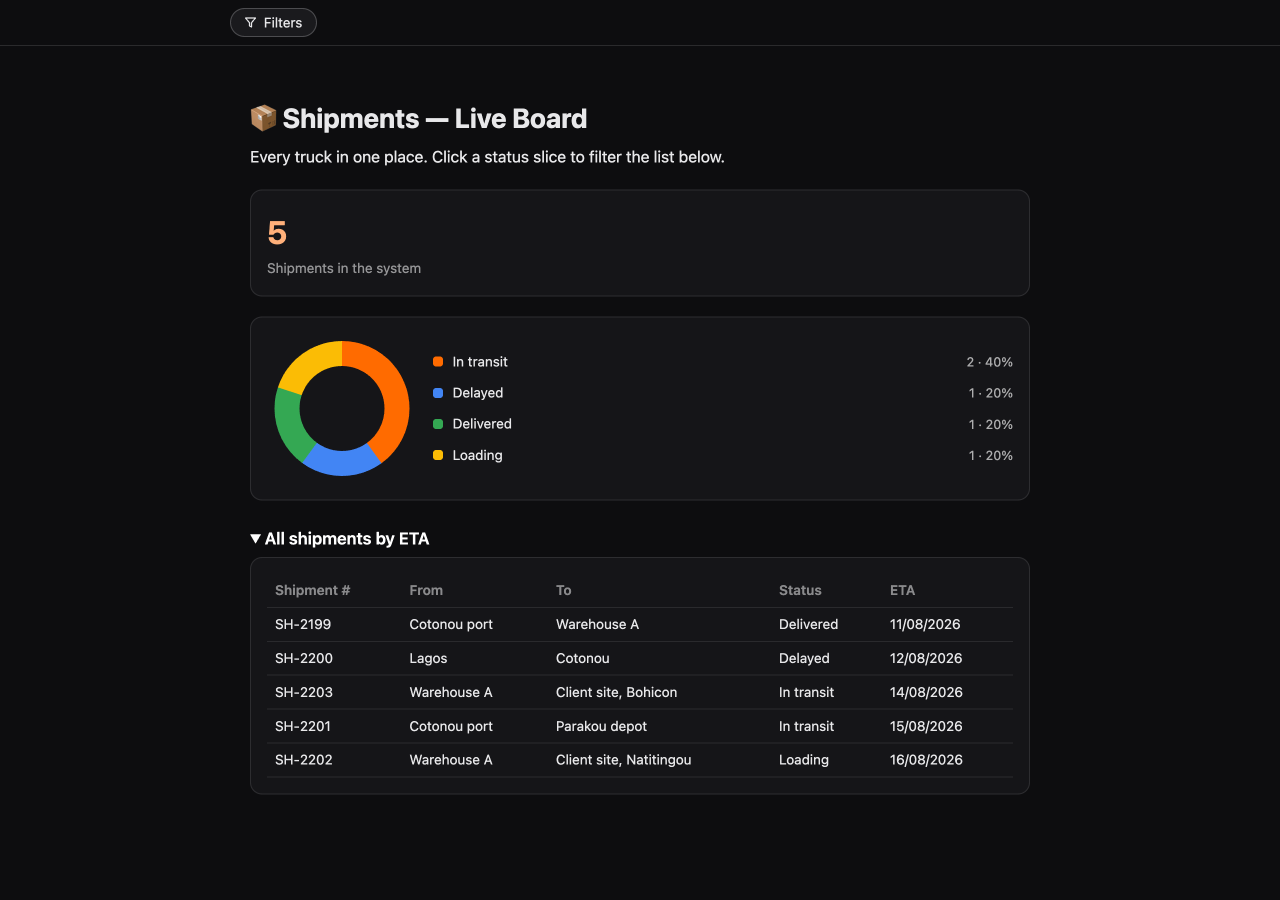
The live board: 5 shipments, 40% in transit, the delayed one visible instantly.
Run it on your data
Works on a free account: sign up at web.bob.tools, add the BoB Tools connector to Claude in one click (setup details), paste the prompt — and answer the questions. Next recipe: 🏭 Warehouse stock count →