💸 Personal expense tracker
Know where the money goes — with a month dashboard.
BoB Tools (just “BoB” from here on) — set up my personal expense tracker. Before you build anything, ask me a few quick questions: what currency I use, my usual spending categories, and whether anyone else will log expenses with me. Then create the table — date, category, amount, note, receipt photo — add a couple of sample records so I can see how it looks, build a month dashboard with a category breakdown, and give me a link that opens on my phone.
Claude asks first: currency · your categories · solo or shared
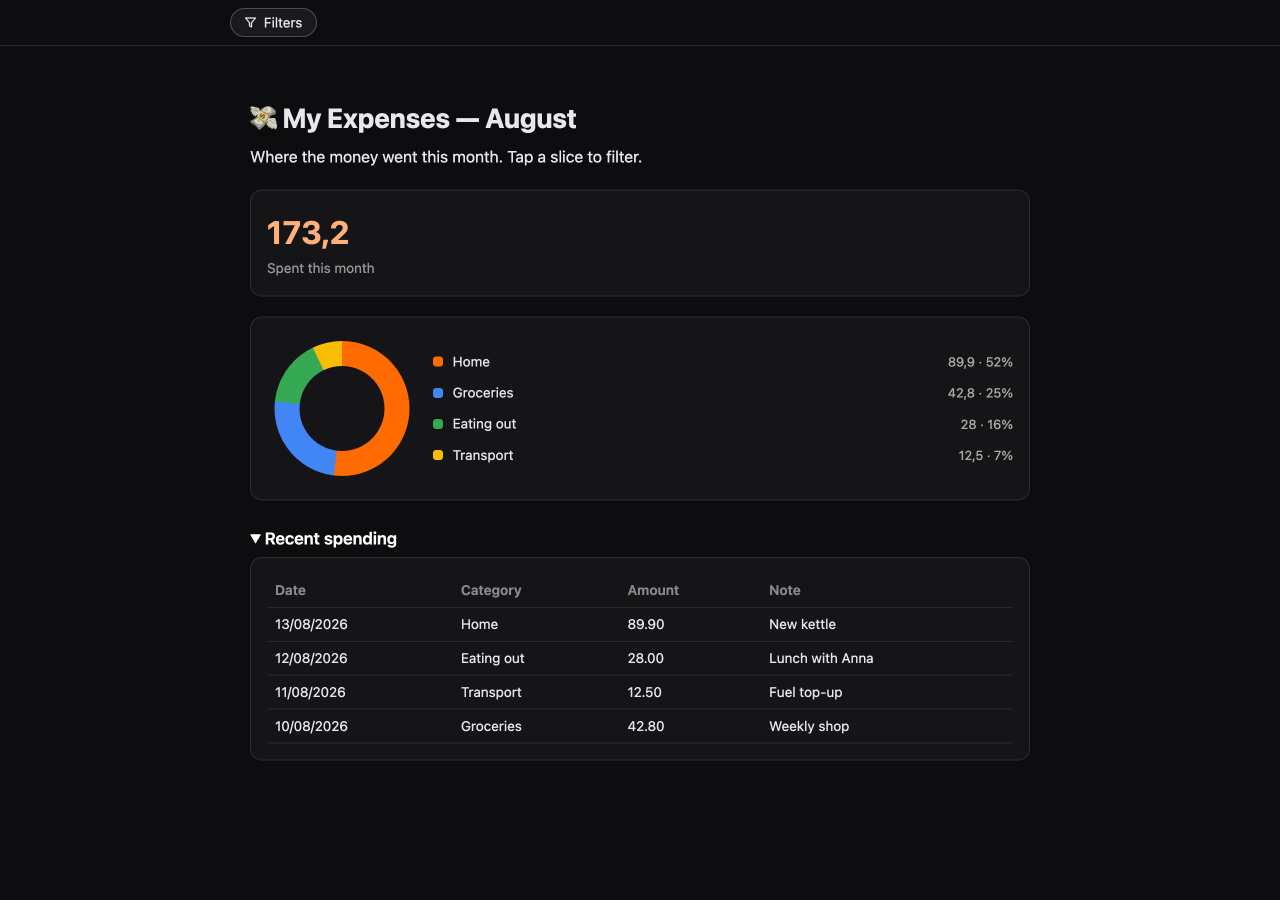
The month dashboard over the live table: 173.2 spent, Home is 52% of it.
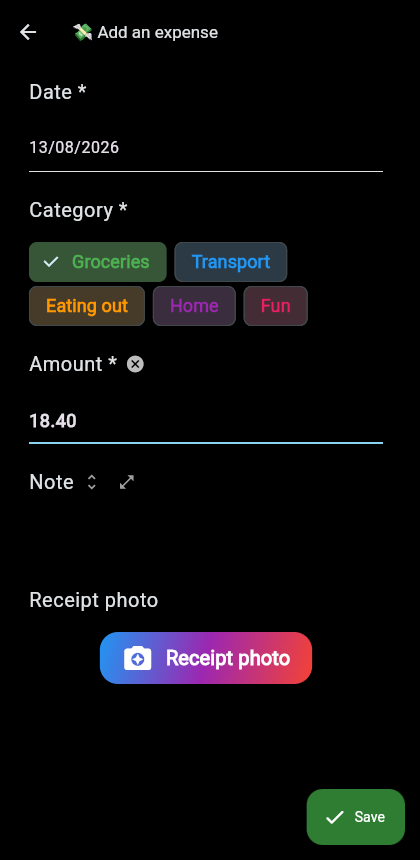
Adding an expense through the phone link — colored chips, receipt photo, Save.
Run it on your data
Works on a free account: sign up at web.bob.tools, add the BoB Tools connector to Claude in one click (setup details), paste the prompt — and answer the questions. Next recipe: 📒 Company bookkeeping →