⏱ Shift log & timesheets
One table, three views: worker, supervisor, manager.
BoB, set up a shift log for my team — and make different links for different roles. First ask me: how many people, what we record per shift (times, site, breaks), and who is allowed to see whose hours. Then create the timesheet table, add this week's shifts as examples, and give me three links: a form where a worker only logs a shift, a table where the supervisor can see and fix everyone's entries, and a PIN-protected board where I check total hours per person.
Claude asks first: team size · what a shift records · who may see whose hours
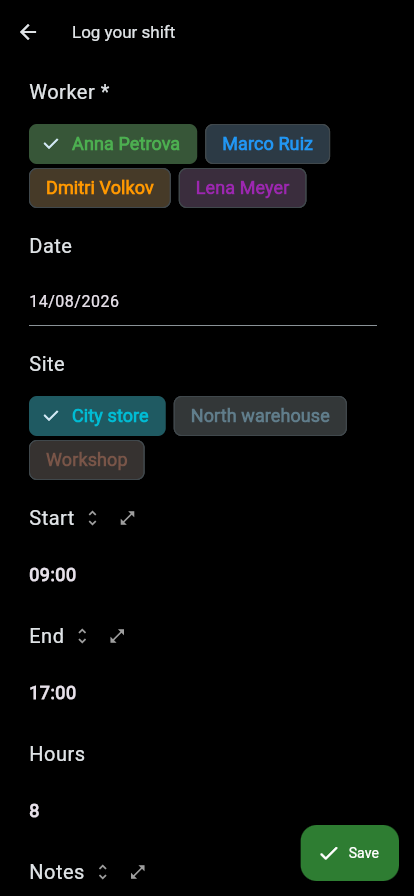
The worker's door: log a shift in five taps, see nothing else.
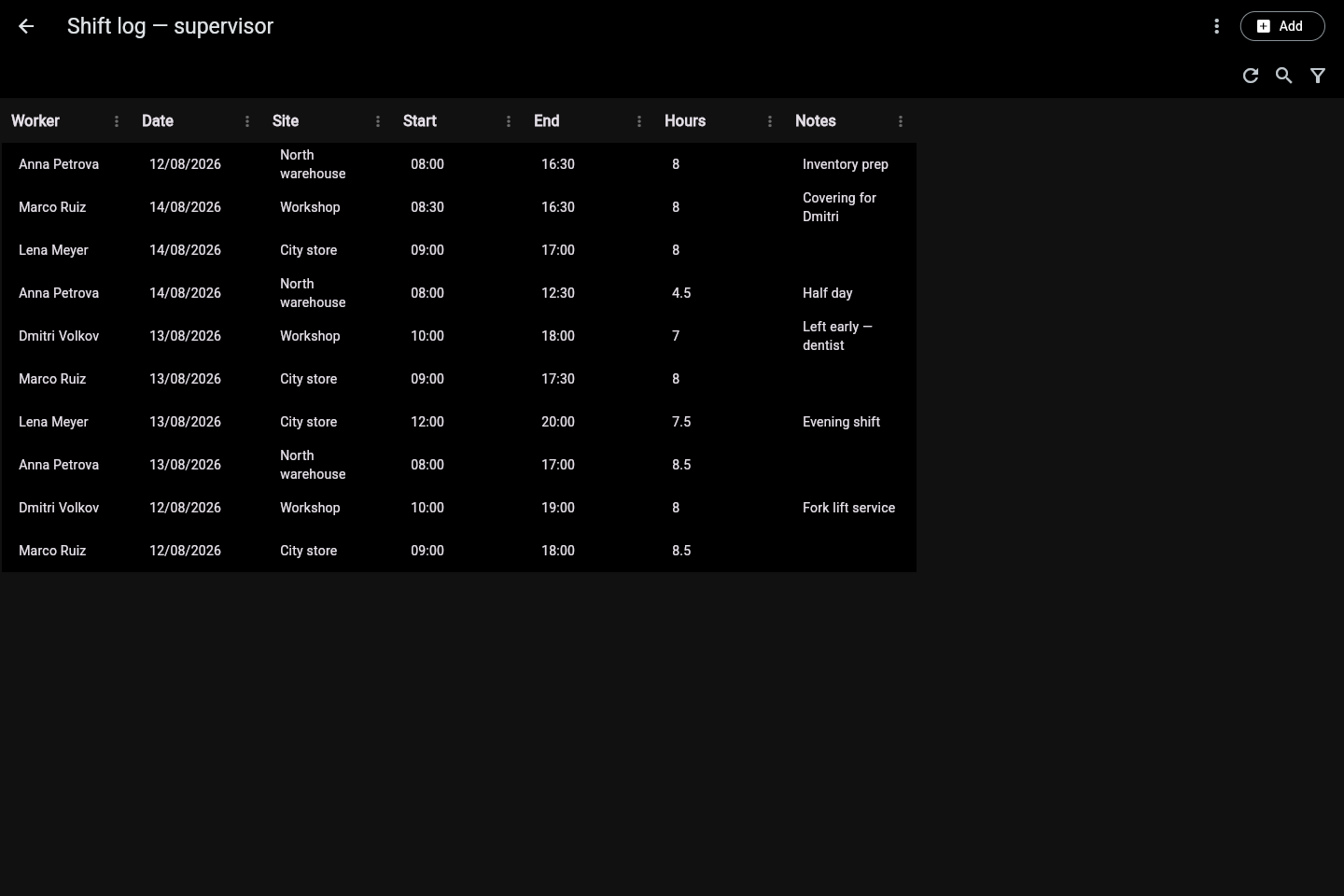
The supervisor's door: the same table, every entry visible and editable.
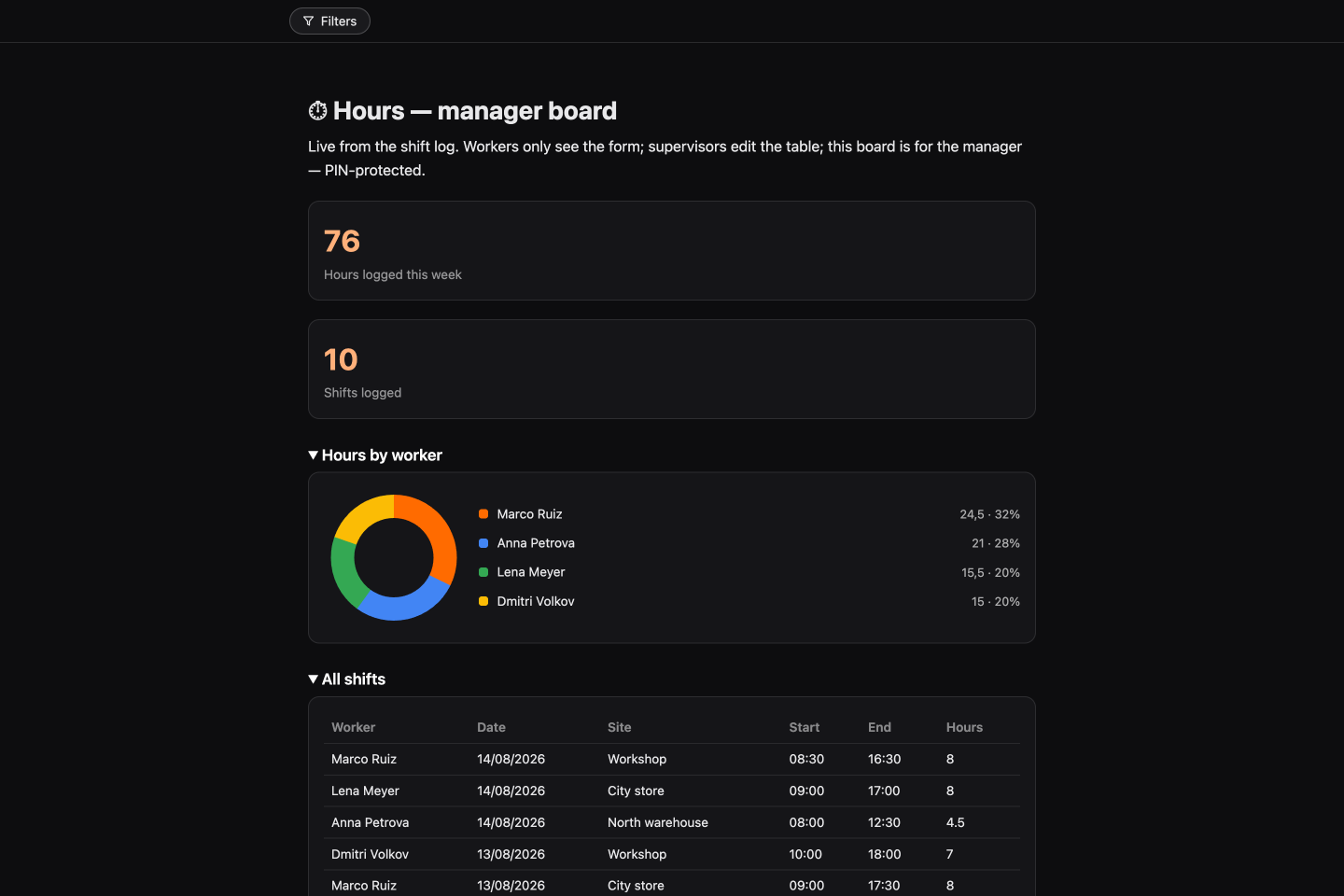
The manager's door: PIN-protected hours board — 76 h this week, split by worker.
Run it on your data
Works on a free account: sign up at web.bob.tools, add the BoB Tools connector to Claude in one click (setup details), paste the prompt — and answer the questions. Next recipe: 🚗 Car rental fleet →